
Step-by-step guide for beginners: how to connect to any DeFi protocol safely, set up a wallet, approve tokens, and avoid scams.
Table of Contents
- Introduction
- What You Need Before Connecting
- Step-by-Step Guide to Connecting to a DeFi Protocol
- Security Rules Everyone Must Follow
- Forecast: How DeFi Connections Will Change in the Future
- Conclusion
Online advertising service 1lx.online
Introduction
Decentralized Finance (DeFi) is one of the fastest-growing sectors in crypto. But beginners often struggle with one basic question: how do you actually connect to a DeFi protocol?
This guide explains the process “on the topic of the article” in a clear, structured, and safe way.
You’ll learn what tools you need, how to perform each step correctly, and what to avoid so you don’t lose funds.
What You Need Before Connecting
Before interacting with DeFi, prepare the essentials:
- A non-custodial crypto wallet (MetaMask, Trust Wallet, Rabby).
- Crypto for gas fees (ETH, BNB, MATIC, etc., depending on network).
- Basic understanding of blockchain transactions.
- Awareness of scams and phishing schemes.
DeFi puts full control in your hands — but also full responsibility.
Step-by-Step Guide to Connecting to a DeFi Protocol
Online advertising service 1lx.online
Below is the safest and simplest method “on the topic of the article” for any beginner.
Step 1: Choose a Wallet
The most popular wallets for DeFi:
- MetaMask — Ethereum and compatible networks
- Rabby — safer alternative with transaction previews
- Trust Wallet — mobile-friendly
Install the extension or app, create a seed phrase, and securely store it offline.
Online advertising service 1lx.online
Step 2: Add the Correct Network
Many DeFi platforms run on EVM-based chains (ETH, BNB Chain, Polygon).
If the correct network is not available by default:
- Click Add Network
- Enter RPC, chain ID, and explorer link
- Confirm the settings
Wrong networks = failed or lost transactions.
Step 3: Visit the DeFi Platform
Type the URL manually or use official links from:
- CoinGecko
- Project’s verified social media
- Documentation page
Never trust advertisements or random Google results.
Step 4: Connect Wallet Securely
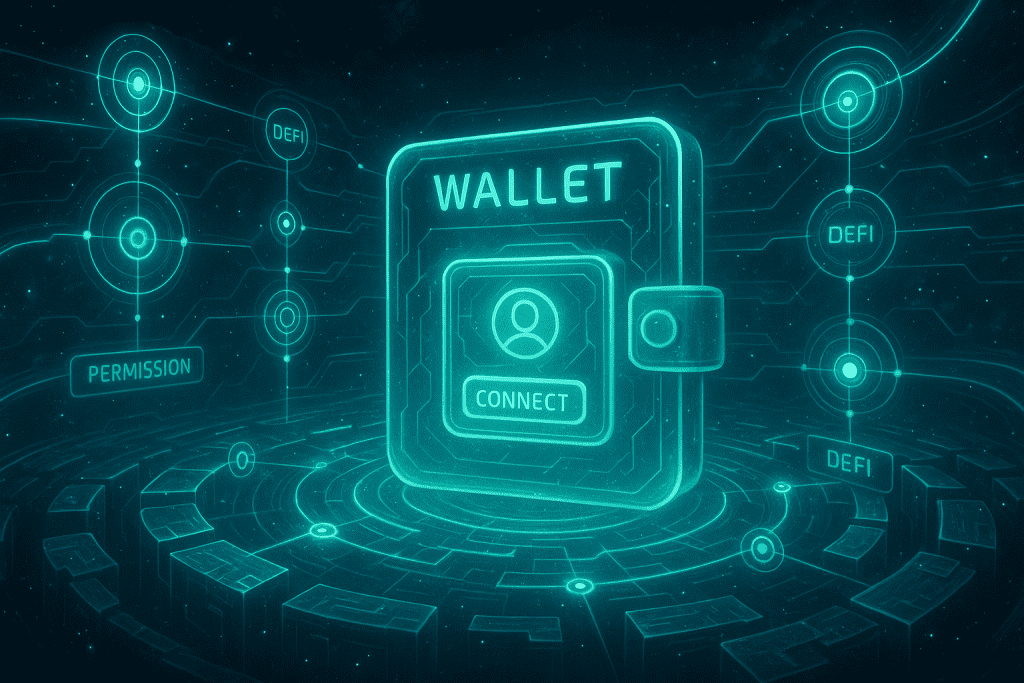
Click Connect Wallet → select MetaMask / WalletConnect / Rabby.
Check:
- URL is correct
- SSL is active
- Wallet connection permissions do not include anything suspicious
If the browser warns you — stop immediately.
Step 5: Approve Token Permissions
Most DeFi protocols require token approval before interacting with:
- swaps
- liquidity pools
- staking
- lending
Always choose custom spending limit, not unlimited.
Unlimited approvals are one of the main reasons beginners lose funds.
Step 6: Start Using DeFi Features
Depending on the protocol, you can:
- Swap tokens
- Add liquidity
- Provide collateral
- Borrow assets
- Stake
- Join yield farms
Each action triggers a blockchain transaction, so gas fees apply.
Security Rules Everyone Must Follow
To stay safe “on the topic of the article”, remember:
- Never share a seed phrase
- Double-check URLs
- Use hardware wallets for high-value transactions
- Revoke unused token approvals
- Keep Web3 browser extensions updated
- Avoid public Wi-Fi
One simple mistake can empty your wallet.

Forecast: How DeFi Connections Will Change in the Future
By 2030, DeFi onboarding will evolve dramatically:
- account abstraction with passwordless login
- biometric smart contract signing
- auto-revoking token approvals
- AI-driven risk assessment before each transaction
- chain-agnostic wallet connections
- zero-gas decentralized identity systems
DeFi will become safer, faster, and accessible to non-technical users.
Conclusion
Connecting to a DeFi protocol is not difficult once you understand the process.
With the right wallet, secure browsing habits, and careful token approval management, any newcomer can explore decentralized finance safely and confidently “on the topic of the article”.
Our creator. Creates amazing NFT collections! Support the editor - Bitcoin_Man(TON) / Bitcoin Man Stickers(TON) / BM Numbers (TON) / Comics Book (TON) / Bitcoin_Man (ETH)
Pi Network (Guide)is a new digital currency developed by Stanford PhDs with over 55 million participants worldwide. To get your Pi, follow this link https://minepi.com/Tsybko and use my username (Tsybko) as the invite code.
Binance: Use this link to sign up and get $100 free and 10% off your first months Binance Futures fees (Terms and Conditions).
Bitget: Use this link Use the Rewards Center and win up to 5027 USDT!(Review)
Bybit: Use this link (all possible discounts on commissions and bonuses up to $30,030 included) If you register through the application, then at the time of registration simply enter in the reference: WB8XZ4 - (manual)